

How to Set Up a CCTV Camera with a DVR in 2026?
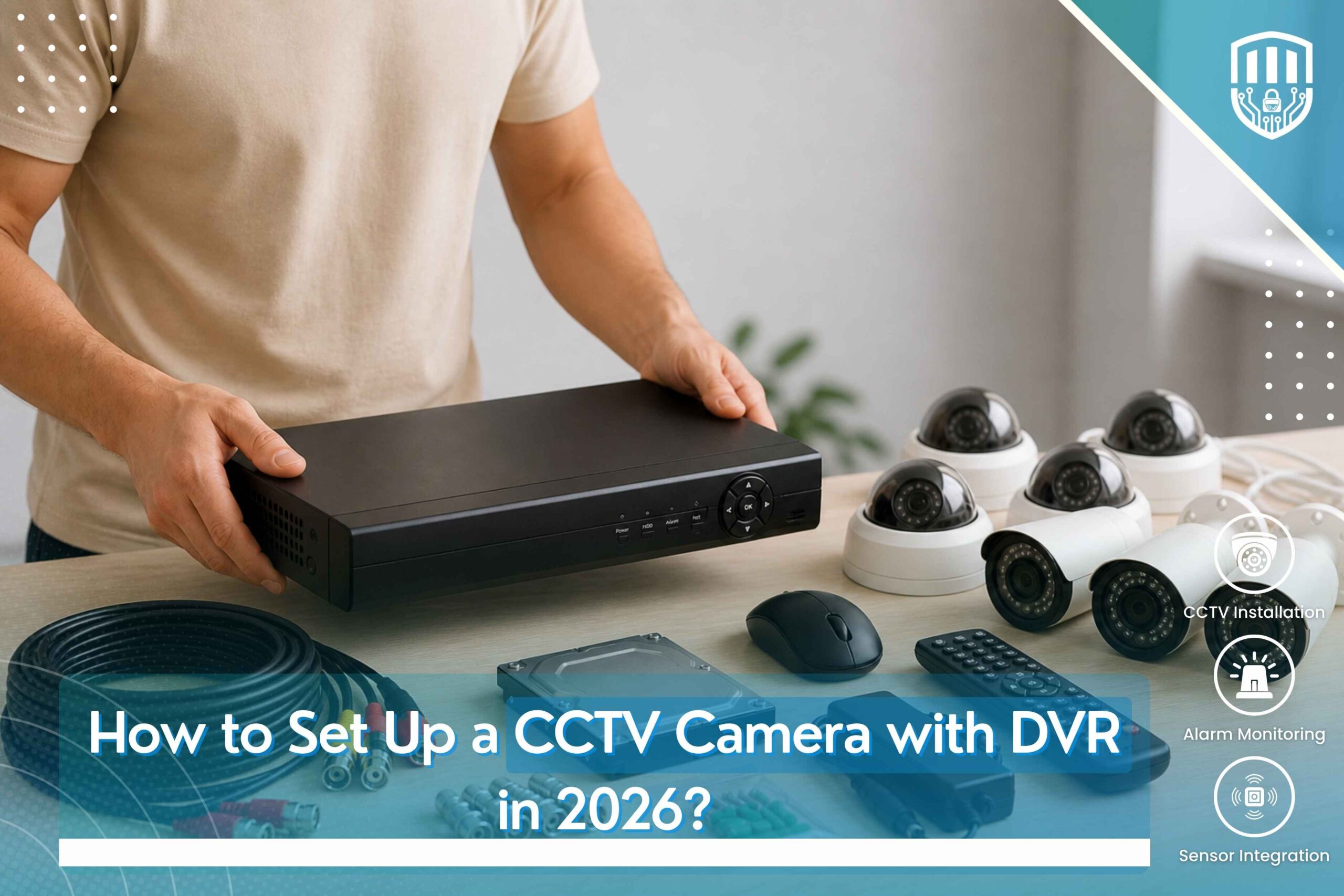
Setting up a CCTV camera with a DVR in 2026 begins by selecting suitable locations for the cameras to ensure maximum coverage of the property. Mount the cameras securely, run the necessary cables to the DVR, and connect each camera to the appropriate input. Next, connect the DVR to a monitor using an HDMI or VGA cable, attach the power supply, and connect the system to your internet router if remote viewing is required. Once powered on, configure the DVR settings, including date and time, recording schedule, motion detection, and storage preferences.
Following a step-by-step approach helps ensure that the surveillance system operates efficiently and records clear video footage. How to Set Up a CCTV Camera with DVR includes checking camera angles, testing video quality, verifying recording and playback functions, and enabling remote access through a mobile app or web platform. Proper installation and regular maintenance will help keep the CCTV system reliable, secure, and ready to protect your home or business.
How to Set Up a CCTV Camera with DVR in 2026?
What Is a DVR CCTV Camera System?
How a DVR Works with CCTV Cameras
A Digital Video Recorder (DVR) receives video signals from connected CCTV cameras, records surveillance footage, stores it securely, and allows users to review recordings whenever necessary. The DVR acts as the central management device for the entire surveillance system.
Key Components of a DVR Surveillance System
A complete DVR CCTV system typically includes surveillance cameras, a DVR unit, storage hard drive, power supplies, BNC cables, network equipment, a display monitor, and user control devices.
Equipment Needed to Set Up a CCTV Camera with a DVR
Essential Hardware Checklist
CCTV Cameras
Select cameras that match the property’s security requirements, installation environment, and desired image quality.
Digital Video Recorder (DVR)
The DVR manages video recording, playback, storage, and camera configuration for the surveillance system.
Hard Drive, Power Supply, and BNC Cables
Reliable storage devices, stable power supplies, and quality video cables are essential for uninterrupted system operation.
Monitor, Mouse, and Internet Connection
A monitor allows live viewing and system configuration, while internet connectivity enables remote monitoring when required.
Choosing the Right CCTV System
Analog vs HD CCTV Cameras
Camera selection depends on image quality requirements, property size, budget, and surveillance objectives.
Selecting the Right DVR for Your Security Needs
The DVR should provide sufficient recording channels, storage capacity, and expansion capability for future surveillance requirements. Property owners often review a How to Install a CCTV Camera with DVR guide before selecting suitable equipment.
Step-by-Step Guide to Install a CCTV Camera with a DVR
Step 1: Plan Camera Locations
Identify Entry Points and High-Risk Areas
Install cameras to monitor entrances, exits, parking areas, hallways, storage rooms, and other important locations.
Avoid Blind Spots for Better Coverage
Careful planning ensures every critical area remains visible while minimizing unmonitored spaces.
Step 2: Mount the CCTV Cameras
Indoor and Outdoor Installation Tips
Use mounting hardware appropriate for indoor or outdoor conditions while ensuring cameras remain securely fixed.
Secure Camera Placement for Maximum Visibility
Position cameras at suitable heights and angles to provide wide coverage without unnecessary obstructions.
Step 3: Connect Cameras to the DVR
Connect BNC Video Cables
Each CCTV camera connects directly to the DVR using compatible BNC video cables for reliable signal transmission.
Connect Power Supply to Each Camera
Provide stable electrical power to every surveillance camera using suitable power adapters or centralized power supplies.
Step 4: Install and Configure the Hard Drive
Set Up Video Storage
Install the surveillance hard drive inside the DVR according to manufacturer specifications.
Format the Hard Drive in the DVR
Formatting prepares the storage device for reliable video recording and efficient file management.
Step 5: Connect the DVR to a Monitor
HDMI or VGA Display Setup
Connect the DVR to a monitor using the appropriate display cable for system configuration and live viewing.
Verify Live Camera Feeds
Check that every connected camera displays clear live video before completing the installation.
Step 6: Configure DVR Settings
Set Date and Time
Accurate system time helps maintain reliable recording logs and simplifies future footage searches.
Adjust Recording Schedule
Configure continuous, scheduled, or event-based recording depending on operational requirements.
Enable Motion Detection Recording
Motion detection helps conserve storage space by recording only when movement is detected.
Step 7: Connect the DVR to the Internet
Router and Network Configuration
Connect the DVR to the local network to enable secure remote access and online monitoring.
Enable Remote Viewing on Mobile Devices
Once network configuration is complete, authorized users can securely access live and recorded video remotely using a DVR CCTV Camera Setup Guide.
Best Practices for DVR CCTV Camera Installation
Improve Camera Performance
Position Cameras for Clear Images
Install cameras where lighting conditions support clear image quality while avoiding unnecessary obstructions.
Reduce Glare and Lighting Issues
Proper positioning minimizes reflections, direct sunlight, and excessive brightness that may reduce recording quality.
Secure Your CCTV System
Change Default Passwords
Always replace factory passwords with strong credentials to improve system security.
Keep DVR Firmware Updated
Regular software updates improve performance, stability, and protection against security vulnerabilities.
Enable User Access Controls
Assign appropriate permissions to authorized users while restricting unnecessary system access.
Common CCTV DVR Installation Mistakes to Avoid
Installation Errors
Incorrect Camera Placement
Poor positioning may create blind spots and reduce surveillance effectiveness.
Loose Cable Connections
Improperly connected cables may result in video interruptions or complete signal loss.
Poor Power Management
Unstable power supplies can affect recording reliability and shorten equipment lifespan.
Configuration Mistakes
Improper Recording Settings
Incorrect recording schedules may prevent important events from being captured.
Ignoring Backup and Storage Management
Regular storage monitoring prevents recording interruptions caused by insufficient available space.
Troubleshooting Common DVR CCTV Problems
No Video Signal
Check Camera Connections
Inspect camera wiring, power supplies, and BNC connectors for secure connections.
Verify DVR Input Settings
Ensure each camera is connected to the correct DVR channel and configured properly.
Remote Viewing Not Working
Check Internet Connectivity
Verify that network equipment and internet services are operating correctly.
Verify Mobile App and Network Configuration
Review remote access settings and network configuration carefully when learning How to Connect CCTV Cameras to a DVR for secure off-site monitoring.
Benefits of Professional CCTV DVR Installation
Why Hire Security Experts?
Accurate System Installation
Professional installation minimizes errors while ensuring reliable camera placement and stable system operation.
Reliable Configuration and Testing
Comprehensive testing confirms that cameras, recording devices, storage, and network connections operate correctly.
Ongoing Maintenance and Technical Support
Regular maintenance helps maintain long-term surveillance performance while reducing unexpected system failures.
Why Choose 111 HiTech Security for CCTV DVR Installation in Dubai?
Complete CCTV Installation Solutions
Residential, Commercial, and Industrial CCTV Systems
111 HiTech Security provides complete surveillance solutions for homes, offices, retail stores, warehouses, hotels, healthcare facilities, educational institutions, and industrial properties.
Professional DVR Setup and System Configuration
Our experienced technicians perform complete installation, system configuration, testing, optimization, and customer guidance to ensure reliable surveillance performance using a proven CCTV DVR Installation Step-by-Step approach.
Trusted Security Specialists
High-Quality Equipment
We install dependable surveillance systems designed to provide long-term security and operational reliability.
Expert Installation and After-Sales Support
111 HiTech Security continues supporting every client through maintenance, technical assistance, troubleshooting, and future system upgrades.
Conclusion
Set Up Your CCTV Camera with a DVR for Reliable 24/7 Security
Follow Best Practices or Choose Professional Installation for Maximum Protection
Understanding How to Set Up a CCTV Camera with DVR helps property owners appreciate the importance of proper planning, installation, configuration, and ongoing maintenance. Whether you are securing a home or a commercial property, 111 HiTech Security delivers professional CCTV DVR installation services that provide dependable surveillance, reliable recording, and long-term protection for your valuable assets.
111 HiTech Security Services in Dubai, UAE
111 HiTech Security is a trusted SIRA Approved Service Provider in Dubai, UAE, offering professional CCTV installation, home security cameras, access control systems, structured cabling, and advanced surveillance solutions for residential and commercial properties across Dubai.